 PylonCheck
Detailed Pylontech battery monitoring. Data, history and real human support.
PylonCheck connects to the Console / RS-232 service port of a supported battery installation. The unit collects available BMS data and uses wired Ethernet to send it to the cloud dashboard, where you can view battery status, cell voltages, alarms and history. If the data reveals a problem, you are not left to solve it alone — we help you interpret the information and agree on an appropriate next step.
- Console / RS-232 battery connection
- Stable wired Ethernet
- Two-year device warranty
- Personal online diagnostics available almost 24/7
Support availability is not a guaranteed SLA or guaranteed response time.
Loading live data…
Real data, refreshed every 60 s
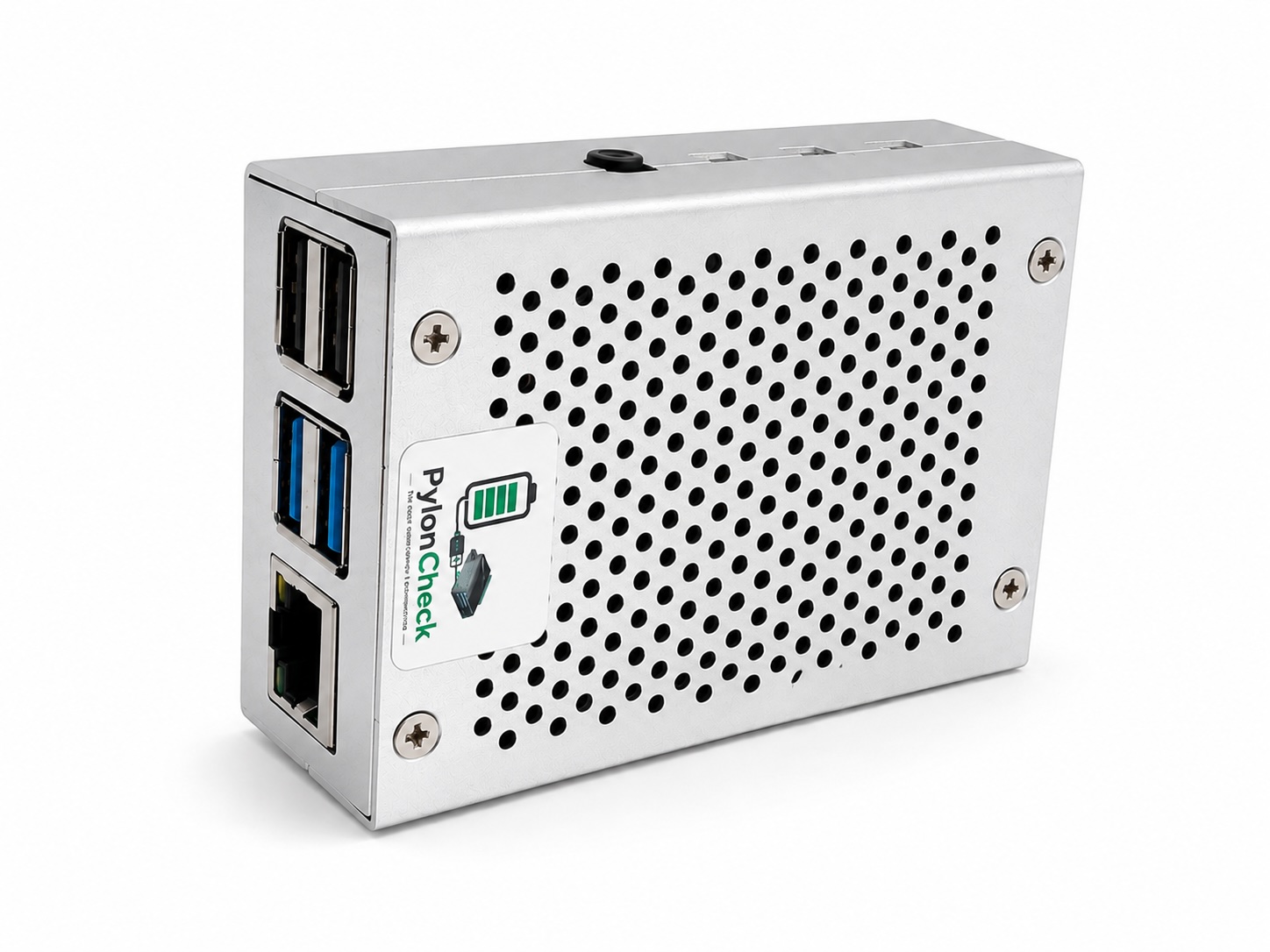
PylonCheck in a metal enclosure with USB, Ethernet and a Console / RS-232 service connection to the battery.
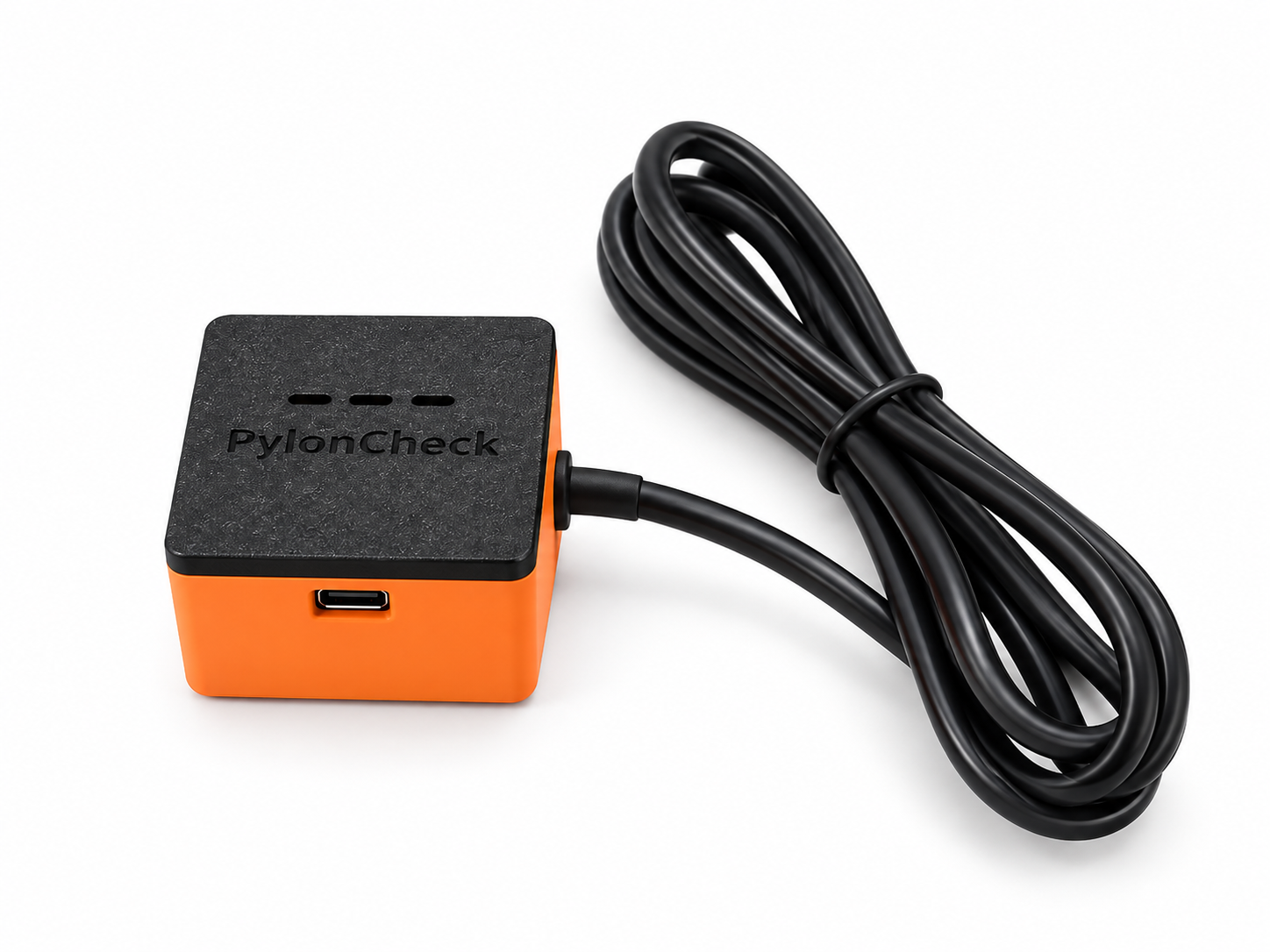
PylonCheck Balancer
A purely local tool for quick diagnostics and cell balancing on Pylontech US-series batteries. It needs no cloud or internet connection — after connecting, it creates its own Wi‑Fi network and you open the battery status on a phone, tablet or computer.
$52
including 21% VAT
- Local diagnostics without cloud or internet
- Shows the connected battery, or available batteries in a Master-connected system
- Read-only diagnostic mode without writing to the BMS
- Service balancing for significant cell imbalance
- Integrated converter, no extra external hardware required
- Status LED indicates progress and completion
Balancer is intended for service work with supported Pylontech US-series batteries. HV models are currently in development.
How it works
- 01
We verify the model and topology
Before delivery, we confirm the battery type, revision, number of stacks and the correct Console cable.
- 02
You connect three things
The labelled Console / RS-232 cable, power and wired Ethernet. The battery itself does not require active Ethernet.
- 03
You monitor and evaluate
The cloud dashboard shows available live data and history. If a problem appears, you can request personal diagnostic help.
Connection diagram
- Pylontech battery
- Console / RS-232
- PylonCheck
- wired Ethernet
- home network
- optional remote cloud access
The standard PylonCheck Box uses wired Ethernet. Wi-Fi is not a standard function of the Box; it can only be assessed individually on compatible hardware. Ethernet lowers the dropout risk but does not rule it out absolutely.
Available today
Detailed model limits are listed in the technical specifications.
Live data
SOC, voltage, current, temperatures, operating state and BMS alarms, depending on the supported model.
Batteries and cells
Physical-module detail, available cell voltages, serial numbers and firmware. Incomplete data is shown explicitly rather than hidden.
History and CSV
Access to available stored history and CSV exports. We do not describe retention as unlimited.
LV and HV monitoring
PylonCheck is used on validated US2000C, US3000C, validated US5000-family revisions and Force H2 / H48050 installations.
Multiple devices
Central oversight of multiple devices belonging to the account. Public delegated installer roles are still being prepared.
Force Balance
A two-hour function available today for supported US2000C, US3000C and validated US5000-family installations. It is a user-initiated BMS write; on LV it applies to the complete stack, not an individual slot.
BMS Control
Cloud BMS Control in the dashboard is now available to all customers. You can change supported BMS parameters directly in the interface. The available commands depend on the battery model and firmware; not every parameter can be safely changed on every BMS.
More than monitoring. Real help.
PylonCheck is supported by a real person with practical Pylontech battery experience. We help remotely evaluate history, cell voltages, alarms, serial numbers, firmware and stack behaviour. The goal is not merely to display charts, but to help the customer understand what the data means.
Routine diagnostics are read-only. If a service intervention may be required, the specific model, battery state and risk are assessed first. No BMS write is performed automatically or without prior agreement and explicit approval.
info@pyloncheck.comWorking beta
PylonCheck is a working beta used on real LV and HV installations. Monitoring and diagnostic data have a production foundation. Cloud BMS Control is available today to all customers for supported parameters; the command range depends on the model and firmware. Home Assistant and the local dashboard are not yet generally available. BMS Control is part of every device. We do not sell remote battery firmware updates as a safely guaranteed capability today because many users are unable to read the correct required file.
View the roadmapVideos & guides
See PylonCheck in real-world use.
Remote monitoring and diagnostics for Pylontech batteries
Live data, cells, alarms and history in the cloud dashboard.
Demo: working with Pylontech battery firmware
A demo from our own environment. Battery firmware work is not a standard offered service; we handle it individually.
Price
One line item, no hidden fees.
PylonCheck Box (micro PC / single-board computer)
$148
$191
including 21% VAT
Launch offer: first 5 units at $148 instead of $191
Shipping is calculated by destination. For international orders the checkout shows the final currency and tax.
- Pre-configured compatible micro PC for a previously validated model and topology
- Power supply and a validated Console / RS-232 converter and cable
- Cloud monitoring, available history and CSV export
- Two-hour Force Balance on supported US2000C, US3000C and validated US5000-family installations
- Two-year warranty on the PylonCheck device
- Setup support
- Personal online diagnostics available almost 24/7 without an SLA guarantee
Frequently asked questions
Does the battery need Ethernet?+
No. PylonCheck communicates with the battery over Console / RS-232. Ethernet connects the PylonCheck unit to your network.
How many batteries can one unit monitor?+
A standard single Console link monitors one correctly connected LV stack with up to 16 batteries. Each additional separate stack requires its own Console link and a multi-port configuration validated in advance.
Is the monitoring read-only?+
Routine automatic monitoring is read-only. The two-hour Force Balance is a separate, user-initiated BMS operation for supported US2000C, US3000C and validated US5000-family installations. No other BMS intervention is performed automatically.
Does it work without an internet connection?+
Today's customer dashboard is cloud-based. A local read-only dashboard over LAN IP has passed offline testing, but it is awaiting a real canary and is not generally available yet.
Does PylonCheck support Home Assistant?+
An offline-tested candidate is ready, but production customer APIs and tokens are not active yet.
Can BMS parameters be changed?+
Yes. Cloud BMS Control in the dashboard is now available to all customers. You can change supported parameters directly in the interface. The available command range depends on the battery model and firmware; not every parameter can be safely changed on every BMS.
Can battery firmware be updated remotely?+
Not as a generally offered or guaranteed capability. A safe workflow requires precise verification of the model, board, version, file, postcheck and recovery.
What warranty do I get?+
We provide a two-year warranty on the PylonCheck device. The exact terms will be stated in the commercial terms and conditions.
What does almost 24/7 mean?+
We aim to provide online diagnostic support almost at any time, but this is not a guaranteed continuous SLA or a guaranteed response time.
Is the installation configuration-free?+
The device is shipped pre-configured for a previously validated model and topology. You connect the labelled Console cable, power and Ethernet according to the instructions.
Place an order
Fill in your order including your Pylontech battery type.
Any questions?
Send us a message — we are happy to help with compatibility or your order. We usually reply within 24 hours.
Follow us on Telegram